
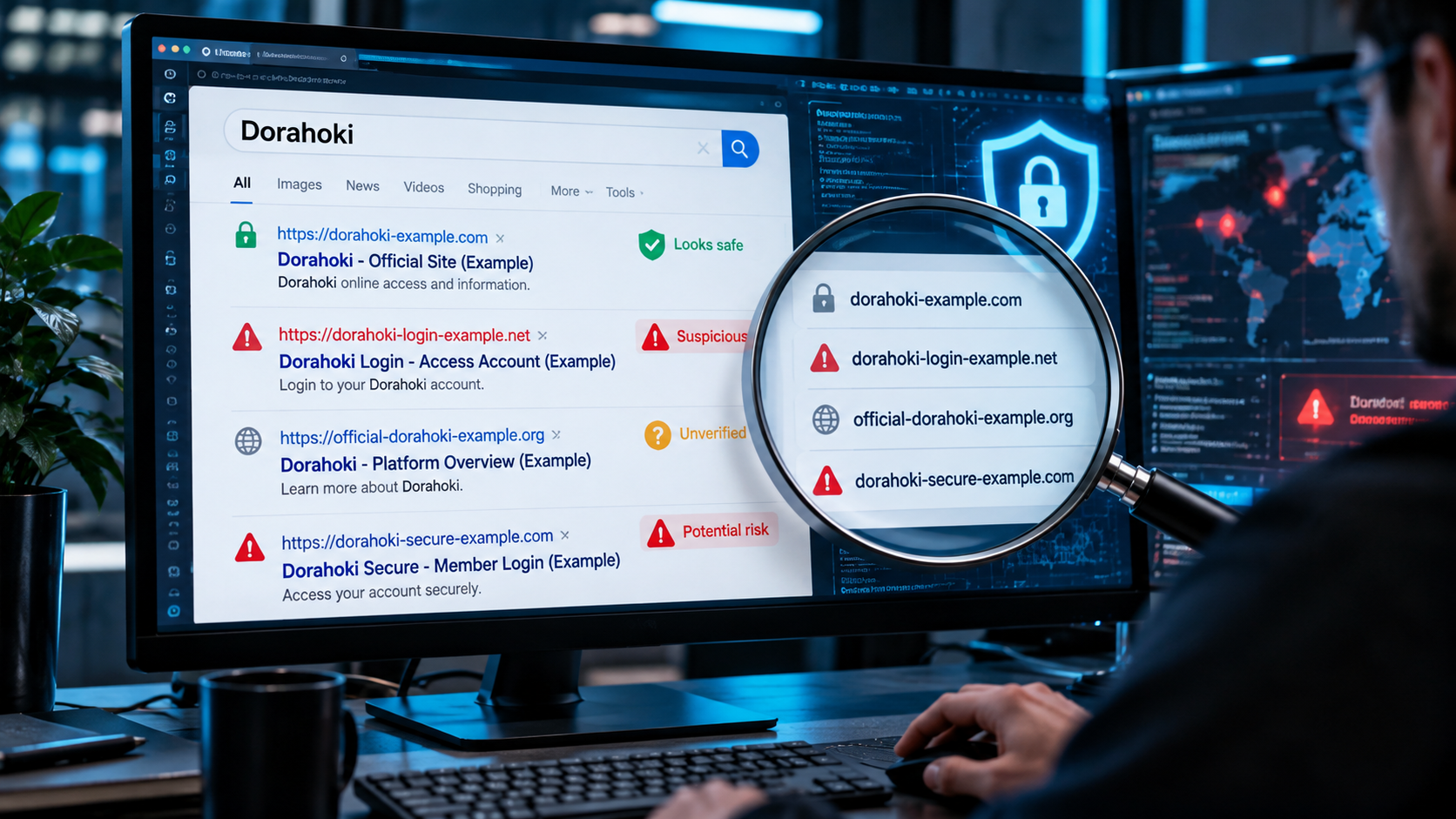
Searching for Dorahoki can produce a confusing collection of websites, login pages, alternative links and third-party pages using the same name. From a cybersecurity perspective, this creates an important problem: how can a user determine whether a page using a familiar name is authentic, an unrelated third-party page, a clone, or potentially a phishing site?
This question matters beyond Dorahoki itself. Gambling-related search results are particularly useful examples of a broader online-security problem in which multiple domains compete for navigational searches, pages migrate between domains, unrelated websites begin displaying commercial content, and users may be encouraged to follow unfamiliar login or download links.
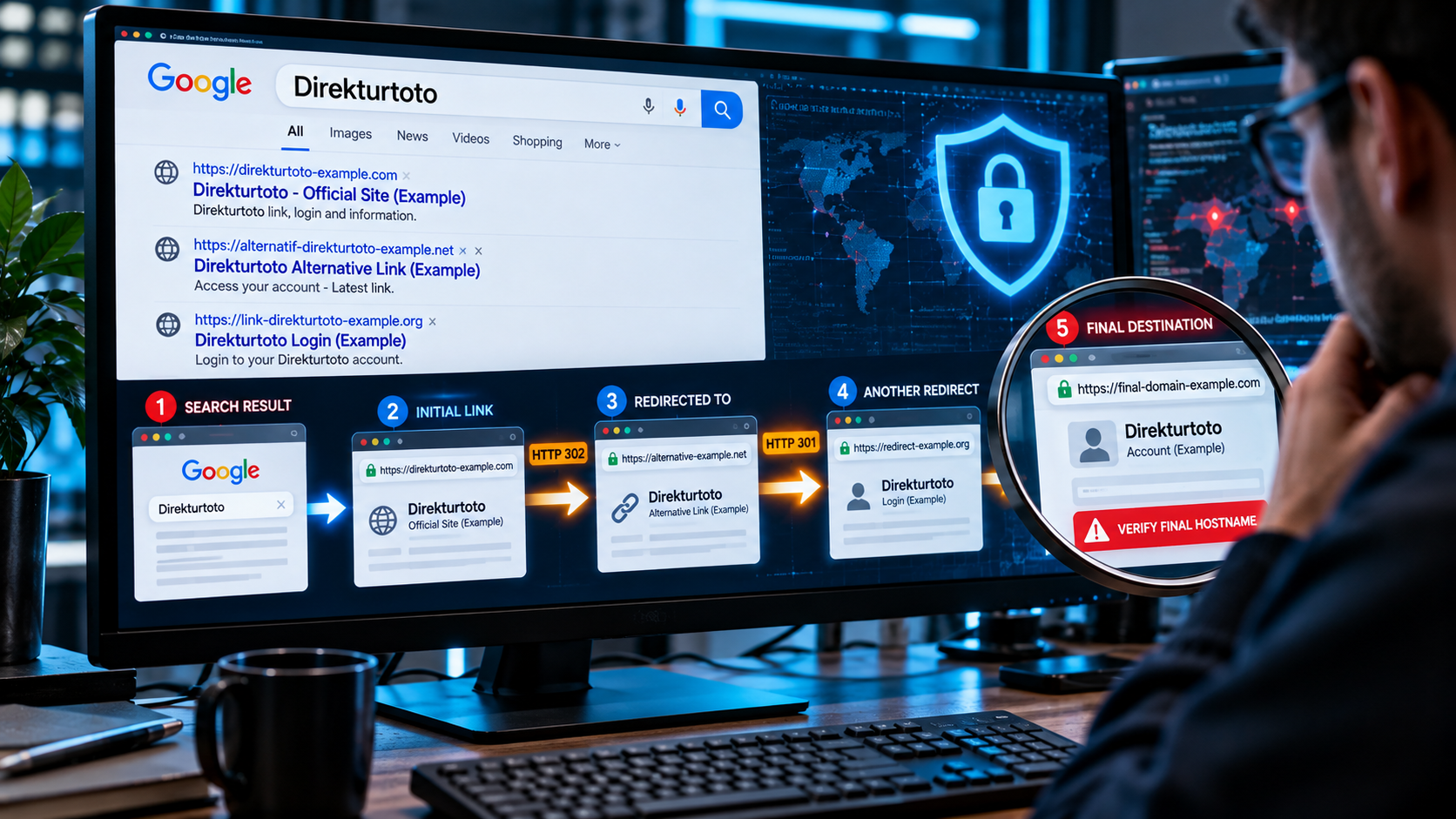
Current search results illustrate that fragmentation. Multiple different domains currently publish pages using the DORAHOKI name, and several describe themselves using terms such as “official” or “alternative” links. Search results alone therefore do not establish which domain, if any, should be trusted as an authoritative destination.
This guide does not recommend or provide access to a gambling service. Instead, it explains how to investigate Dorahoki-related search results safely, recognize warning signs, and protect passwords, personal information and financial data.
A common assumption is that the first result returned by a search engine must be the legitimate website.
That assumption is unsafe.
A search result is an indexed web page, not a security certification. Search engines can discover legitimate sites, third-party pages, old domains, compromised websites and malicious pages.
The Dorahoki search environment demonstrates why domain verification matters. Current results associate the name with several different domains rather than one clearly identifiable destination.
Some pages also explicitly advertise “alternative” access links.
For a user, this creates a security problem:
Brand search → multiple domains → uncertainty → possible unsafe login
The safest response is not to guess which link is legitimate. It is to verify the destination independently before entering information.
Multiple domains using the same service or brand name do not automatically prove malicious activity.
There are legitimate reasons why organizations may operate more than one domain. Websites can migrate, companies can maintain regional domains, and services sometimes use dedicated support infrastructure.
However, attackers use similar techniques.
A phishing campaign might register domains such as:
brand-login-example.combrand-secure-example.netofficial-brand-example.orgbrand-vip-example.comThe domain can then display a page visually resembling the service users expected to visit.
That makes the actual hostname in the browser address bar much more important than the page’s logo or title.
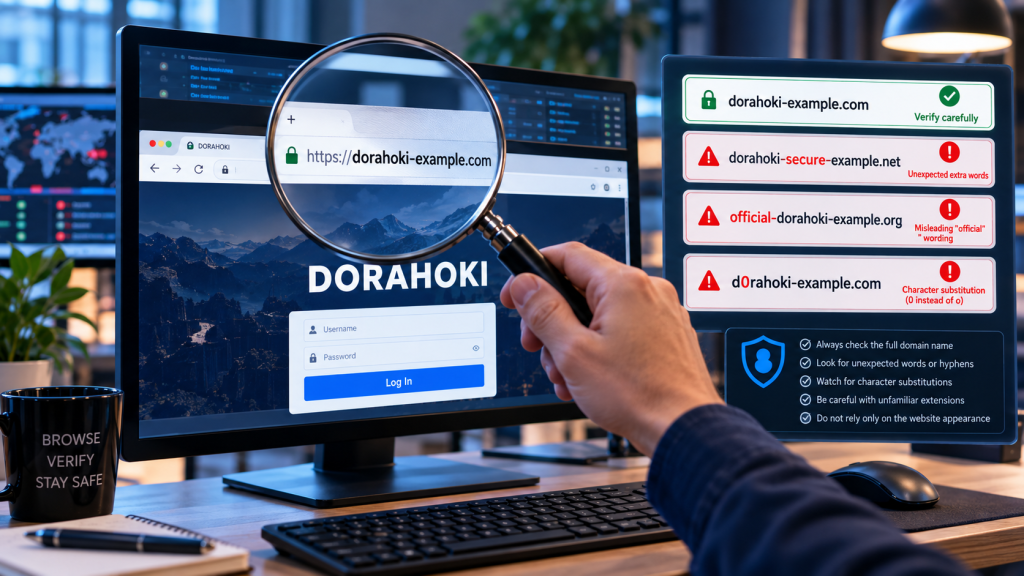
One particularly important lesson is that words such as:
are simply text when displayed on a webpage.
Anyone controlling a website can place those words in a title.
Current Dorahoki-related search results include pages presenting themselves with “official” terminology across different domains. That inconsistency is precisely why the label itself should not be treated as evidence of authenticity.
Not confidently from search results alone.
Our investigation found multiple active domains and pages using the Dorahoki identity. Some present login interfaces, some advertise alternative links, and others appear on domains whose names have little obvious relationship to Dorahoki.
Without independently verified ownership information connecting these domains to one organization, declaring one arbitrary result to be the authentic website would be irresponsible.
This is an important distinction:
| Observation | What It Proves |
|---|---|
| A page uses the Dorahoki logo | Very little |
| The title says “Official Dorahoki” | Very little |
| The website uses HTTPS | The connection can be encrypted |
| Google indexed the page | Google discovered/indexed it |
| The domain is old | The domain existed previously |
| Independent ownership evidence exists | Much stronger evidence |
| Several trusted official channels consistently reference the same domain | Stronger evidence |
No single technical signal should be treated as definitive.
If you encounter a website claiming to represent Dorahoki, investigate the domain rather than immediately interacting with the page.
Phishing domains frequently rely on users recognizing a familiar word while ignoring the rest of the hostname.
Imagine a fictional example:
dorahoki-secure-login-example.com
The presence of “dorahoki” does not establish ownership.
Look for:
Do this before entering a username or password.
A padlock is useful, but its meaning is frequently misunderstood.
HTTPS primarily means communication between your browser and the server is encrypted.
A phishing website can also obtain an SSL/TLS certificate.
Therefore:
HTTPS ≠ legitimate website
A secure connection to a malicious website is still a connection to a malicious website.
Domain-registration information can provide useful context.
Questions worth investigating include:
A recently registered domain is not automatically malicious, and an old domain is not automatically trustworthy.
Old domains can expire, change ownership or be compromised.
Do not rely on a website to verify itself.
If a page says:
“This is the official Dorahoki website.”
that statement is not independent evidence.
Look instead for consistent references from independently verifiable channels and domain-registration information where available.
If different pages all claim to be official while pointing to unrelated domains, treat that inconsistency as a reason for additional investigation.
The most dangerous situation is a page designed to collect credentials.
A fake Dorahoki login page could theoretically imitate branding, colors, buttons and forms from another website while sending submitted information somewhere else.
A phishing page may ask for:
The visual appearance of the page cannot establish legitimacy.
Modern phishing templates can closely reproduce legitimate interfaces.
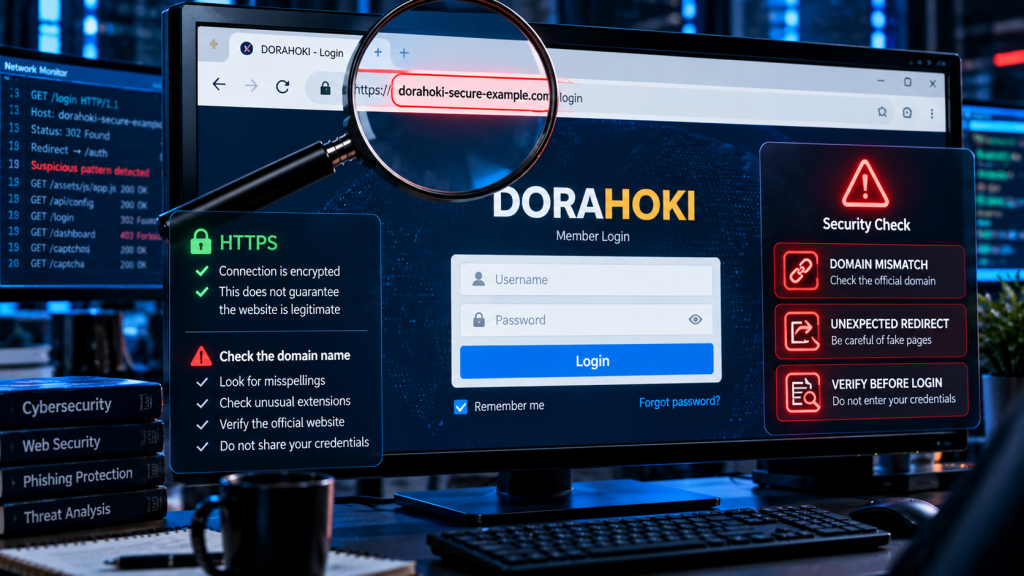
Be particularly cautious when:
If there is uncertainty, do not submit credentials.
One current domain containing the Dorahoki name provides a useful example of why individual domains need to be evaluated separately.
A third-party reputation service reported dorahoki-amanah.online as very likely unsafe and stated that external security services had reported it for phishing and suspicious activity. At the time of the report, the domain was also extremely new.
This does not establish that every website using the Dorahoki name is malicious.
It establishes something more precise and useful:
At least one domain using the Dorahoki name has generated significant security warnings, so users should not assume that every Dorahoki-branded domain belongs to the same trusted operator.
That distinction is essential in responsible cybersecurity reporting.
Another interesting phenomenon visible in search results is Dorahoki content appearing on domains whose names appear unrelated to the term.
There are several possible explanations, and they should not be confused.
A domain can simply change ownership or purpose.
An old restaurant, blog or commercial domain could later be repurposed for completely different content.
That is not necessarily hacking.
An operator can acquire an expired domain because it already has backlinks, authority or search-engine history.
The new owner may then publish completely different material.
Attackers can compromise a legitimate website and inject pages designed to rank for commercial search terms.
This technique is commonly called SEO spam or search spam.
Google’s spam policies specifically identify hacked content and page/code injection as forms of abusive behavior.
A compromised or intentionally deceptive website may also show different content depending on the visitor.
For example:
Googlebot → optimized spam page
while:
Normal visitor → apparently legitimate page
This makes the compromise more difficult for the site owner to notice.
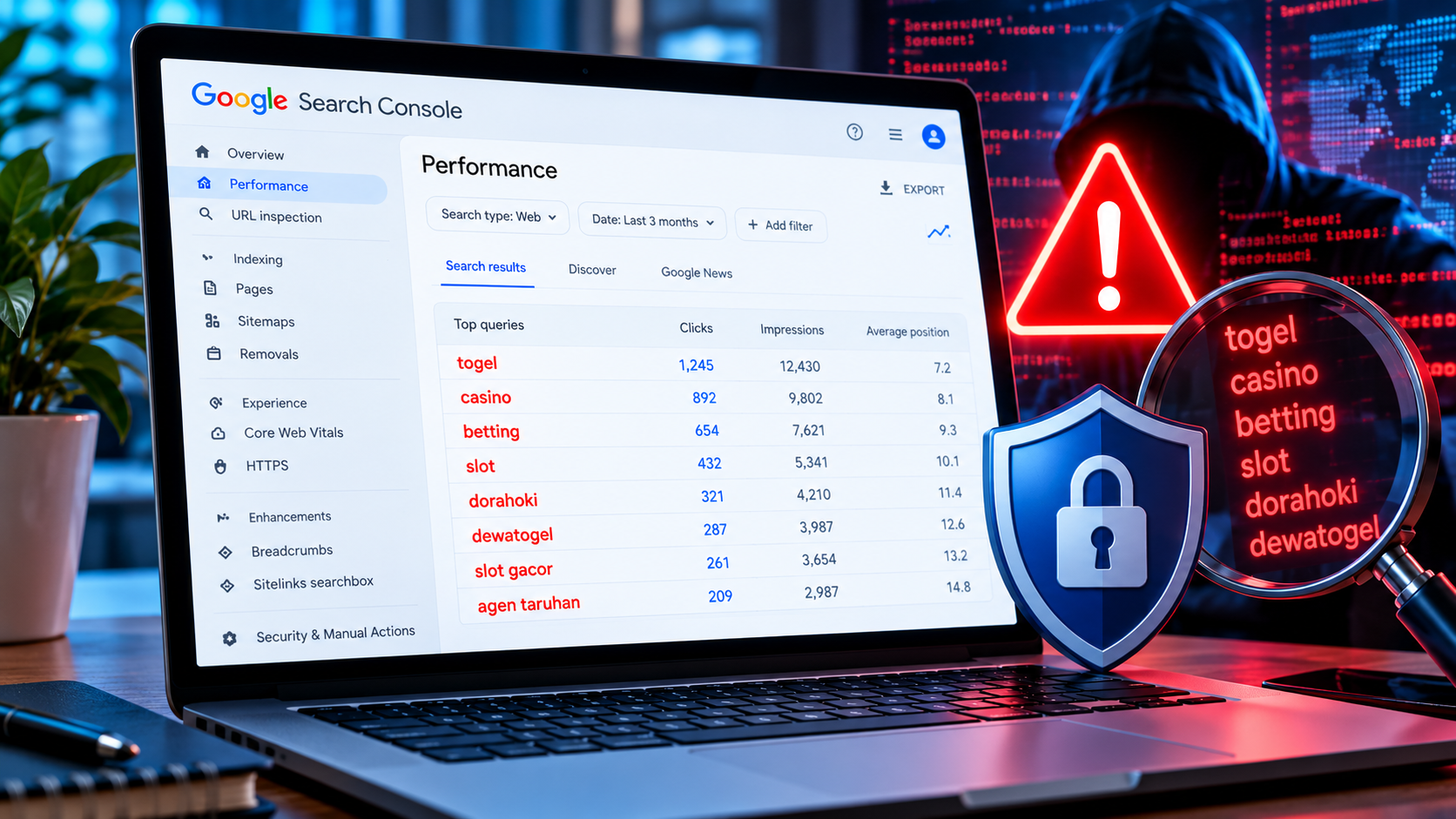
Website owners should pay attention if Dorahoki suddenly appears in Google Search Console for a website that has absolutely nothing to do with gambling.
Suppose you operate an AI news website.
Your normal queries might include:
Then Search Console suddenly reports:
That does not automatically mean your website was hacked.
But it deserves investigation.
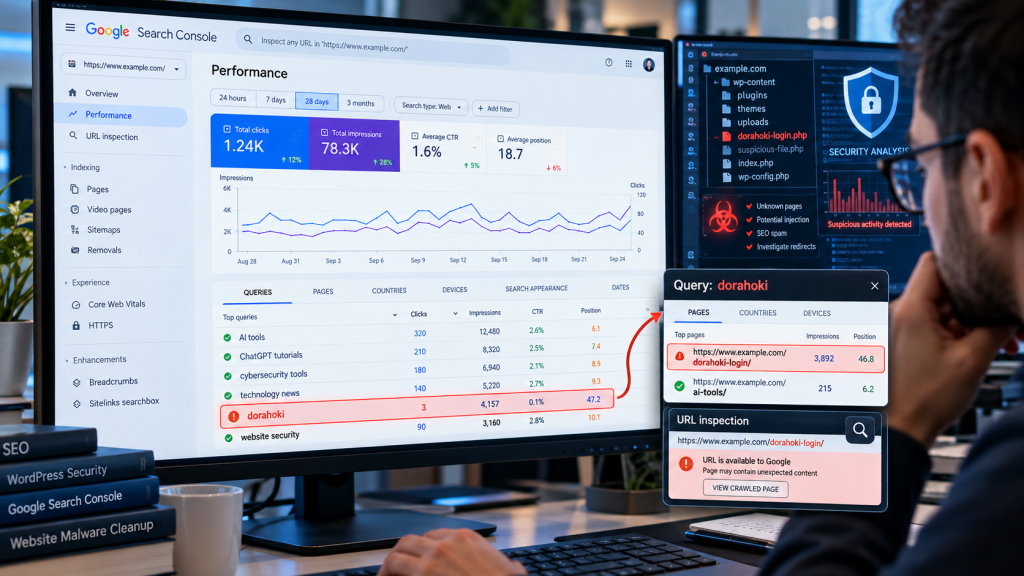
Open the query and determine which URL received the impressions.
There are three broad possibilities.
If Dorahoki impressions point to a normal article that contains no suspicious content, the impression could be irrelevant search matching.
Continue monitoring it.
Suppose Search Console shows:
example.com/dorahoki-login/
and you never created that page.
That is substantially more concerning.
Investigate the URL, CMS, sitemap, database and server files.
If dozens or hundreds of unknown pages appear, especially alongside redirects or modified files, the evidence for SEO spam or website compromise becomes much stronger.
A compromised WordPress installation can be abused in several ways.
Attackers may create:
The public homepage can continue looking completely normal.
That is why checking only the homepage is insufficient.
A technology website might look normal at:
example.com/
while Google has discovered:
example.com/dorahoki/
example.com/togel-login/
example.com/slot-gacor/
The owner might never see those URLs during normal browsing.
Search Console, server logs and indexed-page reports can reveal the problem first.
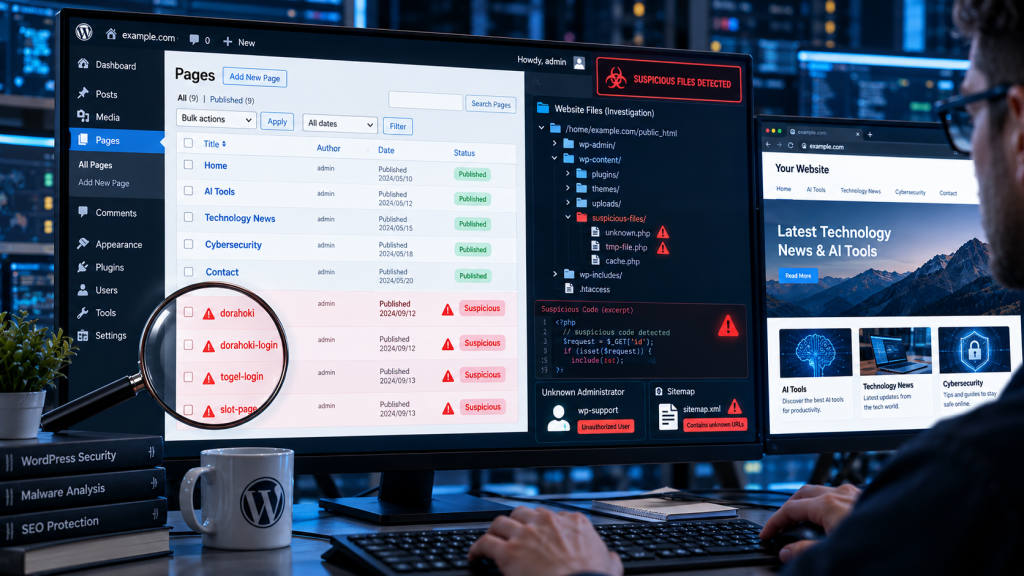
If Dorahoki unexpectedly appears on a site you manage, use a structured investigation.
Review:
The key question remains:
Which URL is Google associating with Dorahoki?
Check whether unfamiliar URLs have entered your XML sitemap.
A compromised site may generate or modify sitemap files to accelerate discovery of spam pages.
For WordPress, inspect:
Look for items you did not create.
If suspicious URLs exist without visible WordPress pages, investigation may need to move deeper.
Potential locations include:
wp-content/plugins/;wp-content/themes/;wp-content/uploads/;.htaccess;Do not delete random files simply because they look unfamiliar. Preserve a backup and evidence before performing extensive cleanup.
Downloads deserve additional caution.
Search results can lead users toward Android packages, download pages or third-party application listings.
Before installing any APK obtained outside a trusted application marketplace, consider the security consequences.
A malicious APK can potentially request permissions unrelated to its claimed function or attempt to capture sensitive information.
Check:
Do not disable Android security controls merely because a webpage instructs you to do so.
Interestingly, Google Play currently lists an application named “Dorahoki” whose listing explicitly says it does not offer real-money gambling. That demonstrates another problem with name-based assumptions: two products sharing the same search term do not necessarily represent the same service or organization.
If you believe credentials may have been submitted to an impersonation or phishing page, act based on the credentials exposed.
Change the affected password through a verified destination.
If the same password was reused elsewhere, change it on those accounts as well.
Enable multi-factor authentication where available.
Review recent account activity for unfamiliar sessions or changes.
If financial information was exposed, contact the relevant financial institution through its verified official channel rather than through information provided by the suspicious page.
Before trusting a Dorahoki-branded page, ask:
| Security Check | What to Look For |
|---|---|
| Domain | Is the hostname exactly what you expected? |
| Search result | Is it merely claiming to be official? |
| HTTPS | Present, but never treated as proof of legitimacy |
| Redirects | Does the browser jump across unrelated domains? |
| Domain history | New registration or unexplained change? |
| Login | Is sensitive information requested unexpectedly? |
| Downloads | Is an APK coming from an unverified source? |
| Reputation | Are independent security warnings present? |
| Ownership | Can the operator be independently verified? |
| Consistency | Do trusted sources consistently reference the same domain? |
The objective is not to find one magic “safe” indicator.
Security decisions should rely on several independent signals.
The Dorahoki case illustrates a larger cybersecurity problem.
Users often think in terms of brand names.
Browsers and security systems operate in terms of domains, certificates, servers and identities.
Attackers exploit the gap between those two mental models.
A user thinks:
“The page says Dorahoki, so it must be Dorahoki.”
A security analyst asks:
“Which domain is this, who controls it, where did the redirect originate, and what independent evidence connects it to the organization it claims to represent?”
That second mindset is safer for any online service, not only gambling-related websites.
Current search results associate Dorahoki primarily with gambling-related pages involving slots, togel and similar services. However, numerous different domains use the name, so a search result alone should not be treated as proof of ownership or authenticity.
This investigation found multiple domains presenting Dorahoki-branded content, including pages using “official” terminology. We do not have sufficient independent evidence to designate one of those domains as the authoritative official destination, so this article intentionally does not provide a login link.
Safety cannot responsibly be determined from the brand name alone. Individual domains need to be evaluated separately. At least one Dorahoki-named domain has received phishing and suspicious-site warnings from third-party reputation services, while that finding should not be generalized to every domain using the name.
Possible explanations include alternative domains, third-party promotion, domain changes, expired-domain use, impersonation and potentially compromised websites. The existence of multiple links does not by itself identify which explanation applies.
No. HTTPS encrypts the connection but does not prove that the operator is legitimate. Phishing websites can also use valid TLS certificates.
If your website has no connection to Dorahoki, first identify the URL receiving impressions. A legitimate URL may indicate irrelevant search matching, while unknown pages can justify a deeper investigation for SEO spam or website compromise.
A compromised WordPress installation can be used to inject arbitrary spam pages, including gambling-related content. The presence of an unknown Dorahoki page would therefore justify checking users, plugins, themes, database records, server files, sitemaps and redirects.
Do not treat a search result as a security guarantee. Verify the developer, package, source and permissions before installing software, particularly APK files obtained outside trusted application stores.
The most important cybersecurity lesson from Dorahoki is not determining which search result has the most convincing logo or the strongest “official” claim.
It is learning to verify the underlying digital identity.
Current search results show the Dorahoki name distributed across multiple domains, login pages and alternative-link claims. That fragmentation makes domain verification, redirect inspection, independent reputation checks and careful handling of credentials particularly important.
For website owners, Dorahoki can also serve as a useful diagnostic keyword. If it unexpectedly appears in Google Search Console on an unrelated technology, business or content website, investigate which URL is ranking before dismissing the query. Unknown pages may reveal SEO spam, injected content or a compromised CMS.
A familiar name is not proof of authenticity. Verify the domain before trusting the page.